
A powerful yet affordable PDF editor
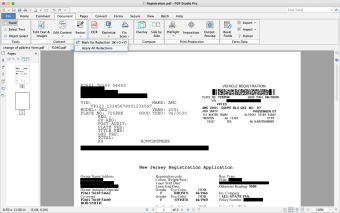
PDF Studio is a powerful productivity software that enables you to easily create and edit PDF files on your desktop. Developed by Qoppa Software, this PDF editing program offers a wide range of features that can make it easily compete with the best PDF software around.
Top Recommended Alternative

As an all-in-one PDF editor, PDF Studio is available on the most popular PC operating systems and platforms. It is even fully compatible with Adobe Acrobat specifications, which makes it a highly-reliable and affordable alternative. This program has a free trial and two subscription plans differing on the offered features.
What does PDF Studio do?
With PDF Studio, you can create a PDF and edit its elements without switching to a different program. Here, you have the ability to start from scratch and enter text and other media. You can even scan physical documents to insert them as pages in your file. Plus, converting other formats like Microsoft Office to PDF and vice-versa can be done. OCR (optical character recognition) is even supported.
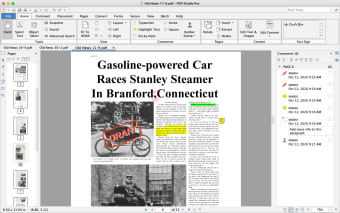
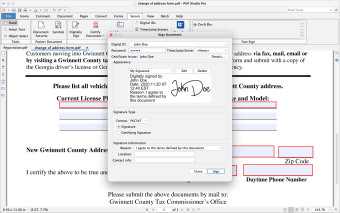
Once your file is finished, or if you’d like to check out a different document from another source, it’s easy enough to edit, review, and even annotate. This software’s editing tools are numerous and highly versatile. You can directly edit the text, images, shapes, and such. You can even fill in blanks and allow other users access to them and enable password protection.
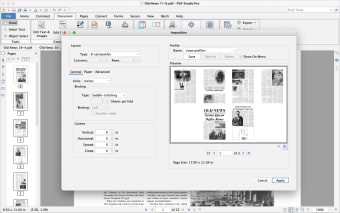
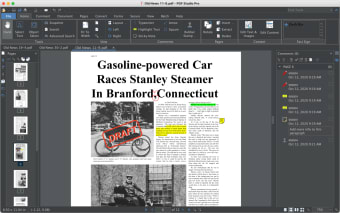
Lastly, there is a batch editing function, allowing multiple files to be edited, annotated, and even converted. The program is easy to use thanks to its intuitive interface design similar to other PDF editors. It also offers an online user guide and knowledge base articles—although these can be long and overwhelming. However, there’s no interactive tutorial that plays on the software, so first-time users can get confused.
Worth the price
All in all, PDF Studio is a great alternative to the popular PDF editors—especially if you’re looking for something that’s more affordable but still has enough powerful capabilities to be highly useful. While its user guide isn’t the most optimized for all users, there’s no denying that its wide variety of functions makes its subscription plans most tempting. Additionally, there is a free trial available for download to test it out.








.png)


.webp)



.webp)

.webp)



.webp)